Video
Help
Videos hosted locally (on
sunfired.net)
- The format is mainly .wmv, but there are also some .mov .mpg
.avi and .mp4 video clips.
- Up to you if you want to download them on your hard drive and
play them from there or play them directly from sunfired.
- In case you play them directly, it all depends on your
browser - so can't help you much there. Works a bit better on MS
Explorer if you ask us.
- If you are on PC (like
we are) you need Windows
Media Player. Make sure that the above mentioned types can be
played by WMP. If you have problems, email us - more
than happy to help.
- If you are on Mac
- we assume you have Quicktime. Make sure that
you have also installed the Windows
Media Components for Quicktime so you can watch the .wmv and .avi
stuff. Again, if you have problems - email us , we will
do our best to help although we have no clue about Mac. We are on PC,
remember?
- If all fails and you are
desperate to see the movie, download VLC Media Player
and install it.
It
allegedly plays all videos known to man and some animals too.
Videos hosted on YouTube
- As of mid-2012, we started posting our videos on YouTube.
- You can't download those videos. Email us if you
still want them on your hard drive, we will be able to help
- The only couple of tips we will give you:
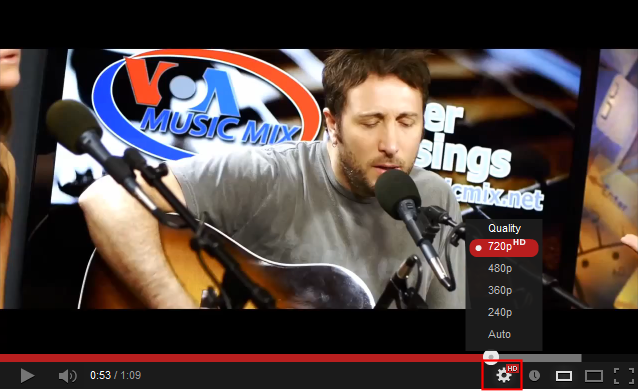
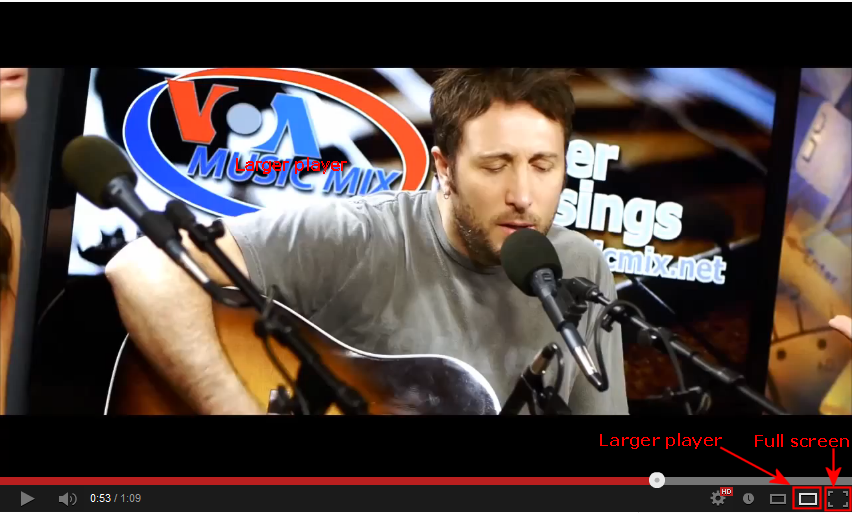
Always check the quality and
switch to the highest one
|